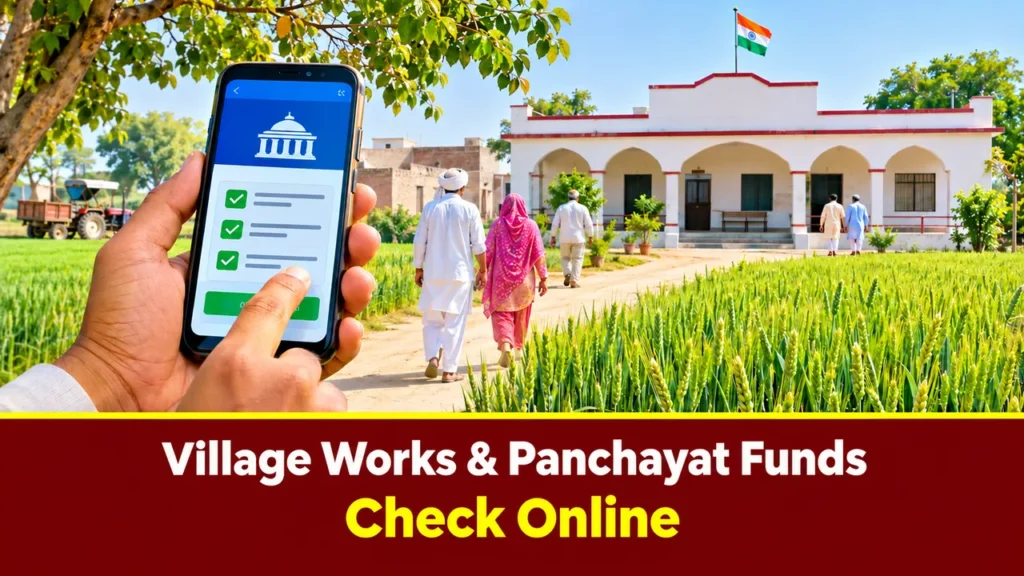
Haryana Gram Panchayat Work Report: Check Your Village’s Works and Funds Online
As of today, 7 November 2026, any citizen of any village in Haryana can check their gram panchayat’s full accounts from home, online — which works are running in the village, how much money came in, how much was spent, and what the plan for the next works is. All of this is available free on the Government of India’s official portal, e-Gram Swaraj (egramswaraj.gov.in), without any login. This guide brings together the correct steps to pull up your village’s report, how to read it, and what to do if something looks wrong — all in one place.
e-Gram Swaraj is the Ministry of Panchayati Raj’s official portal for planning, accounting and progress reporting by Panchayati Raj Institutions, run by the National Informatics Centre (NIC). The portal is open for the financial year 2026-27, and fund allocation under the 16th Finance Commission scheme is recorded in it. Receipts and payments of every gram panchayat in Haryana are publicly visible on this portal.
The most important point first: citizens do not need any login or password to view these reports. In a live check on 7 November 2026, the full drill-down from the state to the district, block and village opened without any sign-in. Only one form — the Activity Status Report — asks you to fill in a CAPTCHA before generating the report; that is not a login either.
| Information | Status (7 November 2026) |
|---|---|
| Official portal | egramswaraj.gov.in (Ministry of Panchayati Raj, Government of India) |
| Login | Not required for citizens — reports open directly |
| Current financial year | 2026-27 (shown first on the portal) |
| Haryana — Village Panchayat receipts | ₹3,471.73 crore (opening balance + money received this year) |
| Haryana — Village Panchayat payments | ₹434.07 crore (spent so far) |
| Haryana — Zilla Panchayat receipts / payments | ₹451.31 crore / ₹72.23 crore |
| Haryana — Block Panchayat receipts / payments | ₹466.05 crore / ₹110.95 crore |
| Gram panchayats in Haryana | 6,230 (143 blocks, 7,090 villages — MoPR, as on 31 March 2025) |
| Districts listed on the portal | 22 districts (Hansi not yet listed — see below) |
7 steps to see your village’s report on e-Gram Swaraj
- Open egramswaraj.gov.in — on a mobile or a computer; no app needed, no login.
- On the homepage, go to “Reports”, then choose the “Accounting” tile — the “Financial Progress Report” will open.
- Open the “All India Report” section and select the financial year “2026-2027”.
- Click on “State wise Receipt and Payment Statement” — a list of states will open.
- Click on “Haryana” — figures for the Zilla Panchayat, Block Panchayat and Village Panchayat will appear together.
- Click on your district — the list of blocks will open; then click on your block — the “Village wise Receipt and Payment Statement” will open.
- In your gram panchayat’s row, read Receipts and Payments — that is your village’s account.
Please note: there is no dropdown form to fill in on this route — you move forward by clicking a link at each step. “OB+Receipts” means Opening Balance + money received this year; “Payments” means the expenditure/payments made so far.
What the report shows — and how to read it
- Receipts: how much money the panchayat received in this financial year — grants from the 15th/16th Finance Commission, state government funds and money from other schemes.
- Payments: how much money has been spent so far — payments for works, through vouchers.
- The gap (Receipts − Payments): money not yet spent — this is not always a problem; many works are in progress and payments come later.
- Voucher-level detail: under “Accounting Entity Wise Report” in the Accounting section, you will also find the Day Book, Cash Book, Ledger and the “Voucher wise Expenditure search Report” — which work, paid to whom, and how much.
Live example — Ambala-I block (report of 7 November 2026):
| Gram Panchayat (Ambala-I) | Receipts (₹) | Payments (₹) |
|---|---|---|
| AdhoMajra | 37,93,713 | 0 |
| Ahema | 6,57,813 | 4,50,058 |
| Dukheri | 45,93,637 | 21,57,377 |
| Block total | 13,52,79,676 | 3,59,42,934 |
Zero payments for AdhoMajra does not mean the money has vanished — the money has come in, and payment for the work has not yet been recorded. Do not jump to conclusions from a single village’s figures; first also look at the previous financial year’s report and the GPDP plan.
GPDP — how to see your village’s annual plan
GPDP stands for Gram Panchayat Development Plan — the village’s annual plan decided in the Gram Sabha. It records which works will be taken up in the village this year, their estimated cost, and which scheme the money will come from.
- On e-Gram Swaraj, open Reports → Planning (Planning Dash Board).
- Choose “Activity wise GPDP Report” or “Approved Activity Details Report” — you will see the list of approved works with their cost and scheme.
- The “GPDP Progress Report” shows how many of the approved works are completed, how many are in progress and how many have not started.
- The “Activity Status Report” form lets you pick the state, district, block and gram panchayat to generate a report — this form asks for a CAPTCHA (not a login).
Why it matters: if a work is not even approved in the GPDP, no money should be spent on it. The right way to check is to read the GPDP list and the expenditure report side by side.
How to see photos and geo-tagging of the works
A work shown on paper and a work actually done on the ground are two different things. On e-Gram Swaraj you can also see geo-tagged photographs of the works:
- In Reports → Planning, open the Asset section below.
- Choose “Geo Tagged Asset Report” — select the scheme (Fourteenth Finance Commission or XV Finance Commission) and the Plan Year 2026-2027.
- The report records each work’s photograph along with its GPS location — so you can see where the work actually happened.
The “Panchayat Bhawan Geo Tagging Status Report” also shows whether the panchayat bhawan itself has been geo-tagged.
How to check MGNREGA works separately
Details of the panchayat’s MGNREGA works are on a separate portal:
- Open nrega.nic.in — job cards, muster rolls and work details can be seen there.
- How many days of work each worker got and how much was paid — that information is on the MGNREGA portal, not on e-Gram Swaraj.
- Reading both portals together gives you the complete picture of your village’s works.
What to do if the report looks wrong
- Raise it in the Gram Sabha first — ask the Sarpanch for the information in writing; asking for the panchayat’s accounts is every citizen’s right.
- Visit the BDPO office — the Block Development & Panchayat Officer is in charge of panchayat works in your block.
- Contact the DDPO — the District Development & Panchayat Officer supervises panchayats at the district level.
- Complain on the CM Window — cmharyanacell.nic.in (please note: the old cmwindow.haryana.gov.in does not open today).
- CPGRAMS — complaints can also be filed on the central government’s grievance system at pgportal.gov.in.
- Ask for records under RTI — certified copies of any panchayat work’s records can be sought under the Right to Information Act.
Before complaining, check this: a work missing from the report does not always mean something is wrong — panchayats upload data late, and midway through the financial year many works still show as “not started”. First also look at the previous financial year (2025-26) report, and check whether that work is even approved in the GPDP.
Status of Haryana’s panchayat portals today
- haryanapanchayat.gov.in — in the check on 7 November 2026, this site did not open due to a DNS error. Do not treat it as a reliable route to your village’s report — use it only after it is re-checked.
- haryanadp.gov.in — the Haryana Development & Panchayats Department portal is showing “under maintenance” today.
- So e-Gram Swaraj (egramswaraj.gov.in) is the reliable route today — in the live check on 7 November 2026 it opened fully and worked throughout.
A note on Hansi: Hansi was notified in December 2025 as Haryana’s 23rd district (effective 22 December 2025), but e-Gram Swaraj still shows only 22 districts — Hansi’s name is not in the list. Reports for Hansi’s villages may still appear under Hisar district for now; this guide will be updated as soon as the portal’s list is updated.
Frequently asked questions (FAQ)
1. Do I need a login or registration to see the reports? No. e-Gram Swaraj reports open without a login for citizens. Login is only for panchayat officials (Data Entry / Accountant / Administrator). Only the Activity Status Report form asks for a CAPTCHA.
2. Which financial year should I select? For current works, select 2026-2027 — it appears first on the portal. For older works, you can select 2025-2026 or earlier years (reports are available back to 2020-2021).
3. My gram panchayat is not in the list — what do I do? Two reasons are possible: the panchayat’s data has not been uploaded yet, or the panchayat is newly created or reorganised. First check the previous financial year’s report; if it is still missing, ask at the BDPO office.
4. What do OB+Receipts and Payments mean? OB means Opening Balance — money left over from last year. Receipts is the money received this year. Payments is the expenditure made so far. Subtracting Payments from OB+Receipts gives the money remaining.
5. Can I find out who was paid how much for which work? Yes — under “Accounting Entity Wise Report” in the Accounting section, the “Voucher wise Expenditure search Report” gives voucher-level detail.
6. The work was done on the ground but does not appear in the report — what do I do? First check the Geo Tagged Asset Report for the work’s photograph and location. Data is uploaded late, so check again after a few days. If it still does not appear, use the Gram Sabha, BDPO or CM Window route above.
Official sources
- egramswaraj.gov.in — Ministry of Panchayati Raj, Government of India (live check 7 November 2026: portal open, financial year 2026-27, Haryana figures and the Ambala-I example taken from this portal’s reports)
- Ministry of Panchayati Raj — Basic Statistics of Panchayati Raj Institutions 2025 (Haryana: 22 district panchayats, 143 blocks, 7,090 villages, 6,230 village panchayats — as on 31 March 2025)
- nrega.nic.in — for checking MGNREGA works
- haryanadp.gov.in — Haryana Development & Panchayats Department (showing “under maintenance” on 7 November 2026)
- cmharyanacell.nic.in — CM Window grievance portal
*Disclaimer: all information in this guide is based on a live check on 7 November 2026. Portal figures depend on data uploaded by panchayats and keep changing — confirm any work or payment finally with the panchayat concerned, the BDPO office or the official portal.*


Leave a Reply