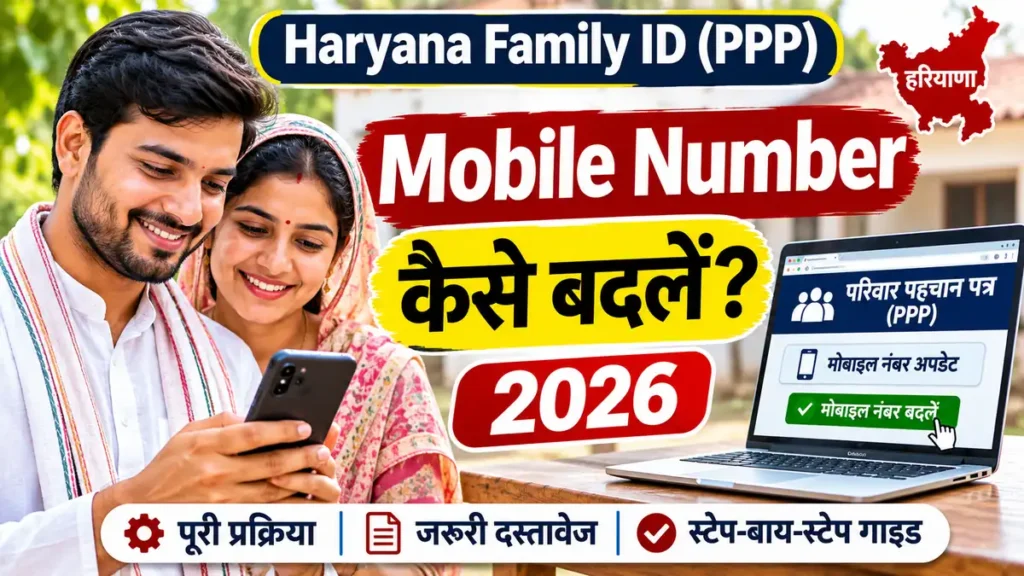
Yes — you can change the mobile number linked to your Haryana Family ID (Parivar Pehchan Patra, PPP) online. The Haryana Family ID Mobile Number Change is done through the official PPP portal’s Citizen Corner, using OTP verification, and if your old number is lost or switched off, there is a separate route that verifies the new number instead, using the Aadhaar number of the head of the family.
Your registered mobile number matters more than most people realise. It is the number that receives the OTP for Family ID login, status checks and downloads, and it is the number the PPP system uses to reach your family about scheme benefits linked to your Family ID. If that number is inactive, every other PPP service stops working for you — even though your Family ID itself is perfectly valid. This guide gives you the step-by-step online process, the lost-number route, the CSC/Saral offline option, the documents you need, and the fixes for the problems people actually run into. For the full background on the scheme itself, read our Haryana Family ID (PPP) complete guide.
Quick Overview
| Item | Details |
|---|---|
| Service | Haryana Family ID Mobile Number Change (Parivar Pehchan Patra / PPP) |
| Who it is for | Haryana residents whose Family ID is registered with an old, lost or inactive mobile number |
| Official portals | meraparivar.haryana.gov.in and ppp-office.haryana.gov.in |
| Mode | Online (self-service) or assisted at a CSC / Atal Seva Kendra / Saral Kendra |
| What you need | 8-digit Family ID number (PPN), Aadhaar number of the head of the family, access to the new mobile number for OTP |
| Verification | OTP verification — to the old number, the new number, or both, depending on the route you use |
| Fee for the online update | No fee is listed for this update on the official portal in the sources checked — confirm on the portal at the time of applying; a CSC may charge its own service fee |
| Processing time | No fixed timeline is published on the official portal in the sources checked; third-party guides quote anything from 24–48 hours to 7–15 working days. Allow a few working days and re-check your Family ID status online |
| Who can apply | Normally the head of the family (Mukhya), whose Aadhaar and mobile number are linked to the Family ID |
Important: Only use the two official Haryana government portals above. Never share your Aadhaar number, OTP, bank details or Family ID password on any unofficial website, agent’s link or WhatsApp message. No government official will ever ask you for your OTP.
How to Change Mobile Number in Haryana Family ID Online
This is the route to use when you can still receive an OTP on your old registered mobile number.
Step 1: Open the official PPP portal
Go to meraparivar.haryana.gov.in or ppp-office.haryana.gov.in in your browser. Use only these official addresses — do not use a link sent by an unknown person.
Step 2: Go to Citizen Corner
On the portal homepage, open Citizen Corner. This is the section for citizen self-service, including login, Family ID search and updates.
Step 3: Log in with your Family ID and OTP
Choose the login option, enter your 8-digit Family ID number, and request an OTP. Enter the OTP sent to your registered (old) mobile number, along with the security captcha shown on screen, to log in.
Step 4: Open Update Family Details
After login, open Update Family Details (also shown as the Correction Module on some screens). This is the section for correcting or updating family details.
Step 5: Select Update Mobile Number
Choose Update Mobile Number from the list of update types.
Step 6: Enter your new mobile number
Enter the new mobile number carefully — double-check every digit before submitting. This number must be active and able to receive SMS, because the OTP for verification will be sent to it.
Step 7: Verify the new number with OTP
Enter the OTP sent to your new mobile number and confirm. Once the OTP is verified, submit the update.
Step 8: Save your reference number and check the status
Save the acknowledgement or reference number shown after submission. Re-check your Family ID on the portal after a few working days to confirm that the new number is now showing as registered. If it has not changed, check the status again or visit a CSC/Saral Kendra with your reference number.
What to Do If Your Old Mobile Number Is Not Available
This is the most common problem — and the reason many people think the number cannot be changed at all. It can. When the old number is lost, switched off or no longer with you, do not try the normal login route, because its OTP will go to a number you cannot access.
The lost-number route
- Go to the official PPP portal and open Citizen Corner.
- Select Update Mobile Number from the options.
- Enter the Aadhaar number of the head of the family and your new mobile number, then click Validate.
- An OTP will be sent to your new mobile number.
- Enter the OTP carefully and verify it before clicking Update.
This route is described consistently across independent PPP guides. Because portal menus are updated from time to time, if you do not see an option with exactly this name on the day you apply, use the equivalent “Update Mobile Number” or “Update Family Details” option on the Citizen Corner screen, or take the assisted route below.
If the online lost-number route does not work for you
Visit your nearest CSC (Common Service Centre), Atal Seva Kendra or Saral Kendra. Carry your Aadhaar card and your Family ID number. Ask the operator to update the mobile number in the PPP database. The operator will verify your identity and submit the update with OTP verification on your new number. Keep the acknowledgement receipt the centre gives you.
Required Documents and Information
For a mobile-number-only change, you do not normally need to upload a set of documents. Keep these ready:
- Your 8-digit Family ID number (PPN). If you do not know it, search for it on the Mera Parivar portal using the Aadhaar number of the head of the family.
- Aadhaar number of the head of the family. The Family ID mobile number is linked to the head of the family (Mukhya).
- Your old mobile number (only if you still have access to it, for the normal login route).
- Your new mobile number — active, with network coverage, and able to receive SMS. Keep the phone with you while you apply, because the OTP arrives within minutes and expires quickly.
- Aadhaar card (original, for the CSC/Saral assisted route, and for identity verification if asked).
For other Family ID corrections — adding a member, correcting a name or date of birth, or changing income — supporting documents may be asked for. Those are separate update types and are not covered in detail here.
Tip: If your new mobile number is also the number linked to your Aadhaar, OTP delivery is usually smoother. If the two numbers are different, it should still work — but keep your Aadhaar-linked number active as well, because some services send their OTP there.
Common Problems and Solutions
OTP is not coming to the old number
Check that the phone has network signal, that the SMS inbox is not full, and that you have not blocked government SMS. Wait a minute and use the Resend OTP option once. If the number is lost or disconnected, stop using this route and use the lost-number route above, or visit a CSC.
OTP is not coming to the new number
Recheck the number you typed — one wrong digit is the most common cause. Confirm the SIM is active and has signal. Try again after a few minutes. If OTPs repeatedly fail, try the CSC assisted route, where the operator can verify and submit the update.
“Update Mobile Number” option is not visible
Portal menus change. Look under Citizen Corner, Update Family Details, or the Correction Module. If you still cannot find it, do not use an unofficial site that claims to offer the same service — visit a CSC or Saral Kendra instead and confirm the current option there.
The portal is slow or shows an error
Government portals are often slow at peak hours. Try again early in the morning or late in the evening, use a different browser, and clear your browser cache before retrying. Do not submit the same update twice — check your status first.
Update submitted but the old number still shows
Allow a few working days. Processing time is not fixed and varies by update type and verification. Check the status on the Mera Parivar portal with your Family ID number. If the old number is still showing after a reasonable wait, visit a CSC with your acknowledgement/reference number.
Someone is asking for money or your OTP to “update” your Family ID
Stop immediately. The online update on the official portal carries no fee in the sources checked, and no government official will ever ask for your OTP. Only pay a CSC its displayed service fee, if any, and never share an OTP with anyone.
Benefits of Updating Your Mobile Number in Family ID
- You can log in again. OTP login, status checks and Family ID downloads all depend on the registered number.
- You stop missing scheme messages. Benefits linked to your Family ID — including welfare schemes and income-related services — use this number to reach your family.
- Your records stay correct. An outdated number can delay verification, income checks and service delivery that depend on PPP data.
- Future updates become easier. Every later correction — adding a member, updating income or correcting a detail — starts with an OTP to this number.
Official Government Website Links
- Mera Parivar Portal (Family ID search, status, download): https://meraparivar.haryana.gov.in/
- PPP Office Portal (Citizen Corner login, registration, updates): https://ppp-office.haryana.gov.in/
- SARAL Haryana (citizen services): https://saralharyana.gov.in/
Frequently Asked Questions
1. Can I change my mobile number in Haryana Family ID online?
Yes. The Haryana Family ID Mobile Number Change can be done online through Citizen Corner on the official PPP portal, with OTP verification. If your old number is unavailable, use the Aadhaar-based Update Mobile Number route or visit a CSC.
2. What is the official website for PPP mobile number change?
Use https://meraparivar.haryana.gov.in/ or https://ppp-office.haryana.gov.in/. These are the official Haryana government PPP portals. Do not use unofficial websites that copy the portal’s name and design.
3. I have lost my old mobile number. Can I still update my Family ID mobile number?
Yes. Select Update Mobile Number under Citizen Corner, enter the Aadhaar number of the head of the family and your new mobile number, validate it, and verify the OTP sent to the new number. If that route does not work, a CSC or Saral Kendra can submit the update for you.
4. Who can change the mobile number in a Family ID?
Normally the head of the family (Mukhya), because the registered mobile number is linked to the head of the family. Carry the head of family’s Aadhaar details when applying.
5. What documents are needed for a Family ID mobile number change?
Your 8-digit Family ID number, the Aadhaar number of the head of the family, and access to the new mobile number for OTP. A mobile-only change does not normally need document uploads; carry your Aadhaar card for the CSC assisted route.
6. Is there a fee for changing the mobile number in PPP Haryana?
No fee is listed for this update on the official portal in the sources checked. Confirm on the portal at the time of applying. A CSC or Atal Seva Kendra may charge its own displayed service fee for assisted service.
7. How long does it take for the new mobile number to update?
No fixed timeline is published on the official portal in the sources checked. Third-party guides quote a wide range, from 24–48 hours to 7–15 working days. Allow a few working days, then re-check your Family ID status on the Mera Parivar portal.
8. Will I get an OTP on the new number or the old number?
It depends on the route. On the normal login route, the login OTP goes to the old number and the verification OTP goes to the new number. On the lost-number route, the OTP is sent to the new number after Aadhaar validation.
9. Can I update my Family ID mobile number at a CSC or Saral Kendra?
Yes. Visit your nearest CSC, Atal Seva Kendra or Saral Kendra with your Aadhaar card and Family ID number. The operator will submit the mobile number update with OTP verification and give you an acknowledgement receipt.
10. My new mobile number is not linked to Aadhaar. Will the update work?
The guides describe the update as working with OTP verification to the new number itself. Keeping your new number linked to Aadhaar is recommended because it makes OTP delivery and future verifications smoother, but if you face a problem, confirm the current requirement on the official portal or at a CSC before retrying.
Conclusion
Changing the mobile number in your Haryana Family ID is a small update that unlocks everything else — login, downloads, status checks and scheme messages all depend on it. If you still have your old number, log in through Citizen Corner and verify the new number with OTP. If the old number is gone, use the Aadhaar-based Update Mobile Number route, where the OTP goes to your new number. And if the online route fails, a CSC or Saral Kendra can do it for you with your Aadhaar card and Family ID number. Use only the official portals, never share your OTP with anyone, and re-check your Family ID after a few working days to confirm the new number is registered.